Open a portal ticket
Best for existing customers with a console, rental, quote, invoice, or support history already linked to their account.
Go to portalLoading
DartArcade by Meco Tech is a physical darts scoring console that connects to your TV for homes, pubs, clubs, and venues.
Support starts with the right path. Existing customers can open a support ticket in the portal, email the team, or follow a technician request for diagnostics when more detail from the console is needed.
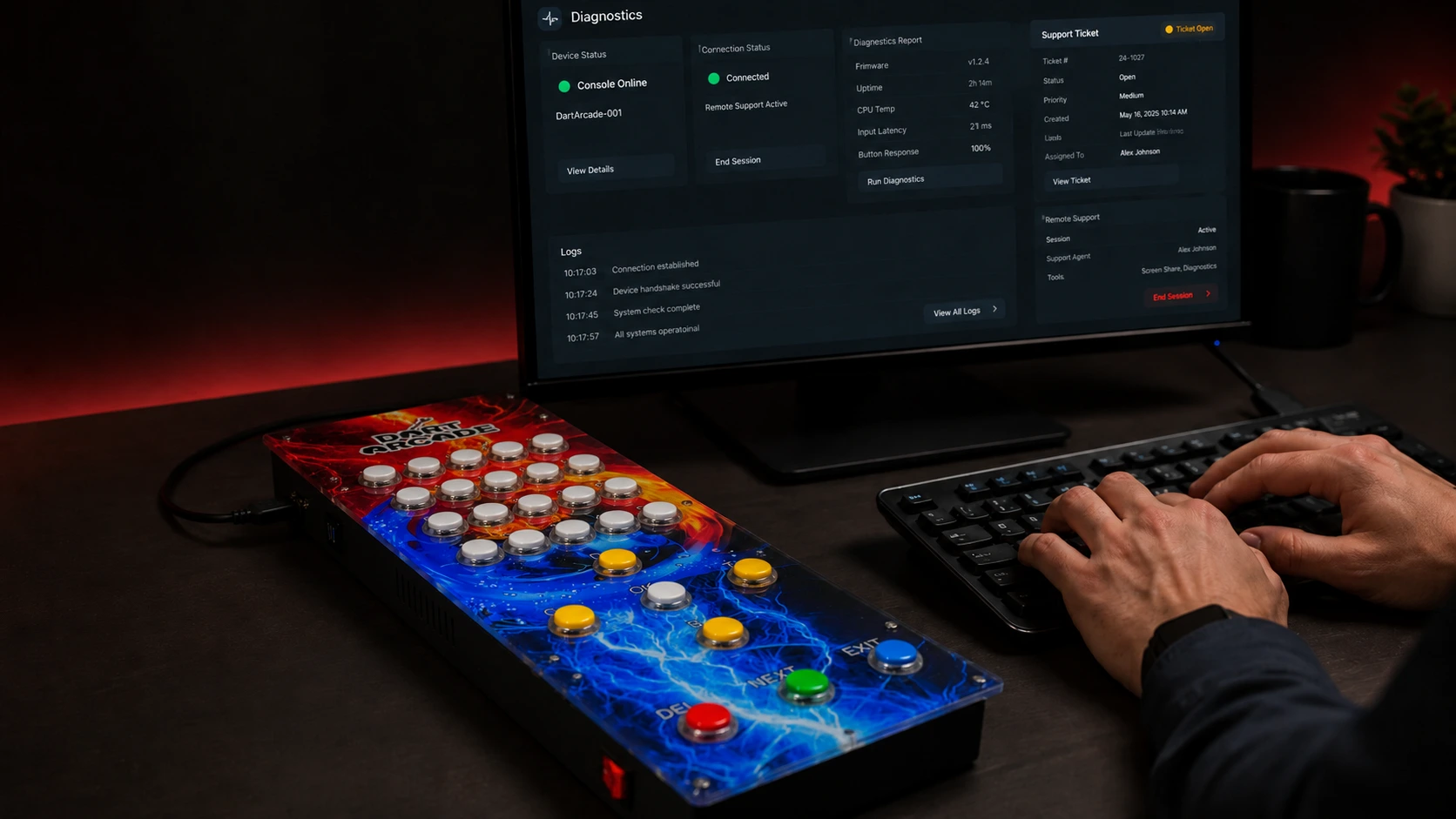
Diagnostics, support tickets, and technician access when needed.
The customer portal keeps an existing customer's case linked to the right account and console. Email and general contact remain available when that is not practical.
Best for existing customers with a console, rental, quote, invoice, or support history already linked to their account.
Go to portalUseful when you cannot access the portal yet or need to send photos, context, or a clear written description.
Email supportIf a technician asks for diagnostics, send them from the console so support can inspect the issue with better context.
Ask for guidanceFor buttons, cables, casing, display output, or other physical concerns, support confirms the correct service path.
Contact usSupport begins with the issue description and console context. When more detail is needed, a technician can guide checks, request diagnostics, or use approved remote access where appropriate.
If hands-on repair is needed, support confirms whether warranty, Venue rental maintenance, or quoted repair work applies before the next step is arranged.
Share the symptom, when it started, and whether it affects scoring, display output, startup, controls, or account access.
Support reviews the account, rental or ownership status, previous cases, and any details already linked to the console.
A technician may guide setup checks, request diagnostics, or assist remotely when approved and appropriate.
If the issue is physical, support confirms whether warranty, Venue rental maintenance, or a quoted repair route applies.
Owned, rented, and out-of-warranty consoles follow different support routes. The next step is matched to the console's ownership and coverage status.
DartArcade Console owners receive a 2-year warranty. After the warranty period, repairs are quoted at the owner's cost.
Venue rental consoles are maintained while the rental is active, with service or maintenance arranged through support when needed.
If hardware needs hands-on repair, support confirms whether warranty, Venue rental maintenance, or quoted repair work applies before anything is arranged.
Existing customers should use the portal when possible because it keeps the ticket linked to the right account and console. Email support is available when portal access is not practical.
Support starts with guided checks and console context. Diagnostics or approved technician access can be used when more detail is needed.
Support confirms whether the console is covered by warranty, Venue rental maintenance, or an out-of-warranty quote before repair work proceeds.
Diagnostics may be used when requested by support and can help create or enrich a support case with technical context.
Include the console or account details, what you were doing, what changed, and any photos or screenshots that show the issue.
Venue rental consoles are maintained while the rental is active. Owned Home consoles include a 2-year warranty and then move to quoted repair work when needed.
Include your console, what happened, and any screenshots or photos that help explain the issue.